How does EscapeAssist's "split-bookings" feature work?
EscapeAssist's “Book With Friends” feature allows split bookings. Many players (especially large teams) abandon checkouts because the person booking does not want to front the entire cost of the game, and have to hassle their friends to pay them back. The "Split Bookings" option allows each member of the team to pay their own share.
When the initial player books a room, he/she clicks the "Book Now (Split cost with friends)" button. He/she then specifies the email address for each of his/her friends and the number of tickets that friend needs to pay for. You take the initial player's money as a deposit to reserve the slot and give his/friends a set time period to pay their share. If the time period expires without everyone paying their share, you cancel the booking and keep a portion of the initial player's deposit.
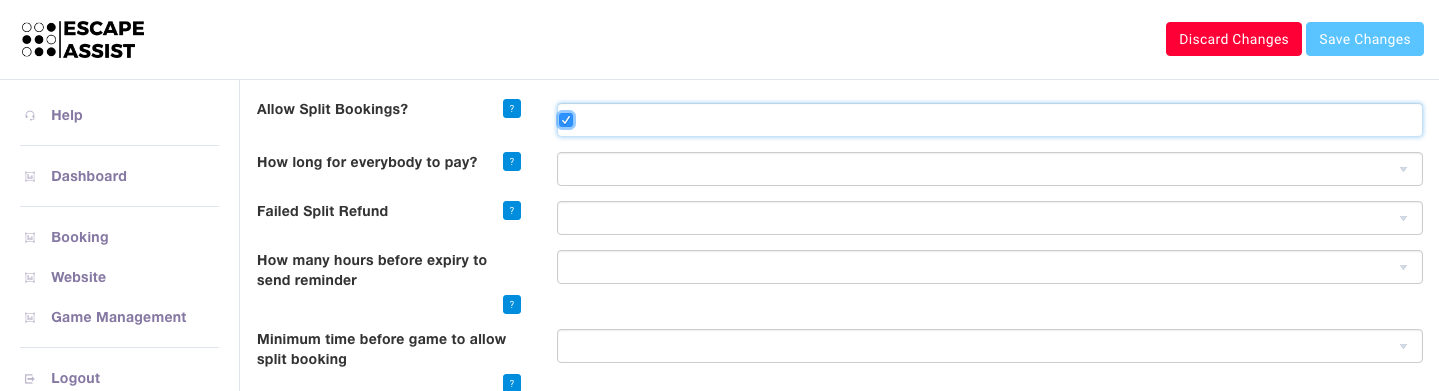
You setup Split Bookings under the Booking tab, Rooms section. When you can create a room choose to "Allow Split Bookings." You need to decide how long you are going to wait for all team members to pay, how much of the deposit you will return if the entire team fails to pay, when to send reminders that the booking is about to expire, and how far in advance of a game you will allow split bookings. Remember to hit the "Save Changes" button once you have entered your preferences.